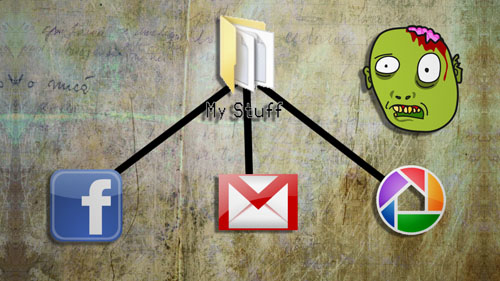
Save Your Digital Life!

Don’t wait for disaster to strike your web accounts. Be prepared and back them all up using these simple tools.

Photo Grabber:
http://code.google.com/p/photograbber/

Google Takeout:
https://www.google.com/takeout

Backup Pop3 e-mail accounts:
http://www.howtogeek.com/howto/44791/how-to-backup-your-web-based-email-account-using-thunderbird

Twitter RSS:

http://search.twitter.com/search.rss?q=Your_Twitter_Name

Backupify:
https://www.backupify.com

View/Add more suggestions:
http://www.tinkernut.com/groups/videotutorial-extras/forum/topic/backup-your-online-accounts

HELP!! GOOGLE IS SPYING ON ME!!!

Google wants to know everything about you, but there are some ways you can fight back and keep your privacy private.

Links:
http://www.google.com/dashboard
http://www.google.com/privacy.html

How To Use Mozilla Thunderbird

This video will show you how to use Mozilla Thunderbird to download your e-mail so that you can back it up and organize it from your desktop.

Check Gmail By Phone

This video takes it’s base from a Lifehacker project that shows you how to check your Gmail over the phone. For this project, you will need a Gmail account and a Jott account.

Gmail Add-Ons

This video goes through how to enable “Labs” in Gmail so that you can enjoy extra features.

Hacking Tip: Forge E-mail Addresses

The purpose of this video is to show an e-mail security flaw using telnet that allows hackers to send e-mails using anyone’s e-mail address. Thankfully, many major e-mail providers have software that blocks this. My intention is to make people aware of this flaw so that other e-mail providers can protect themselves as well. An example program for protection can be found at http://www.zsty.com/email.

Gmail Tip: Unlimited E-mail Addresses

This tip shows you how you can create unlimited e-mail addresses with your Gmail address for the purposes of organizing your incoming e-mail.

Gmail Tip: Greasemonkey

Greasemonkey is a scripting tool that allows for cool add-ons to enhance your web experience. Once such Greasemonkey script is the  Modified Gmail Macro that allows you to add cool shortcuts to your Gmail.

Gmail Tip: Labels and Filters

Organize your E-mail inbox by labeling e-mail by filtering out e-mail with common subjects, e-mail address or content and them categorize them with color-coded labels.

Gmail Tip – Group Your Contacts

This tip will show you how to organize your Gmail contacts into groups so that you can send an e-mail to several people at once just by typing a few letters.

Pages:12»