embed embed embed embed embed embed embed
Embed This Video embed
Share This Video embed
| More
embed test
Rate This Video embed
1 Star2 Stars3 Stars4 Stars5 Stars (6 votes, average: 5.00 out of 5)
Loading ... Loading ...
embed embed embed embed embed embed embed embed
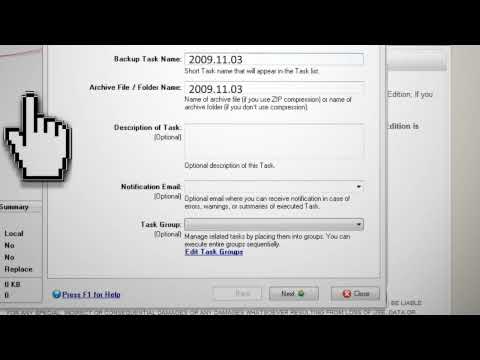
Backup Your Entire Computer For Free 
Backup Your Entire Computer For Free

Protect yourself from computer crashes by backing up your computer using this free software.

Click here to view the links used in this video and add your own tips

Bookmark and Share
Join the forum discussion on this post - (1) Posts 


14 Comments »

  1. 8asrqp40 Says:

    i lyk it bro could ya tell me the software u used to make the slideshow introducing the tutorial?
    keep it up

    8asrqp

    comment-bottom
  2. JR Says:

    w0w this really helped! thnx tinkernut! can you make a video about free internet?

    comment-bottom
  3. boris ras Says:

    Great solution tinkernut. How about Paragon Backup & Recovery 10 Free Edition,it’s capable of making differential backups. Could You make a video about?

    comment-bottom
  4. yd Says:

    its not working youtube says u took it off

    comment-bottom
  5. stafford Villavicencio Says:

    First let me say I am a huge fan! you are an inspiration to techies of all levels. Keep up the great! work.

    comment-bottom
  6. ma Says:

    yah it is very good plz if you add some information about how to hack a website.tnx

    comment-bottom
  7. Hello When I did backups in the past they were stored as zip files. How is one to know which back up they need. All you get is the date it was done, the number of zip files. Perhaps all you want are your photos, Or your file with codes and lience numbers for programs. How do you find just that info on a back up disk. God BLess and Thanks Rod Garnett

    comment-bottom
  8. An Alien Says:

    I love this site and your tutorials. I just found your video on youtube and now visiting your site for the first time. It’s probably the best tutorials I’ve seen on the internet.

    comment-bottom
  9. josegantt Says:

    hey man i pretty found this tutorail very good.But hw will it be like if we try to look for a way to backup permanently on your pc.Is it really possible?Keep it up

    comment-bottom
  10. josegantt Says:

    That is just like some phone numbers are stored permanently onto the fon

    comment-bottom
  11. Chirantan Says:

    Really wonderful !!
    It helped me.

    comment-bottom
  12. beetlewing Says:

    Nice site.

    One more tip: when you download your backup software, make sure to keep a copy of the backup software itself. If your computer gets messed up, you’ll have the exact version you used for backup, which will make restoring easier. Also, the company that made the backup software you’re using today may not be around next year.

    comment-bottom
  13. torvs Says:

    Fantastic! Your website is great.. it’s a big help for us who can’t afford to buy expensive software. It enhance our knowledge on computer matters. Thanks a lot & more power.. God continue to bless u all.

    comment-bottom
  14. omega0509 Says:

    whats the advantage of this over say windows xp pro built in backup?

    comment-bottom

RSS feed for comments on this post. TrackBack URL

Leave a comment